
Traffic overview
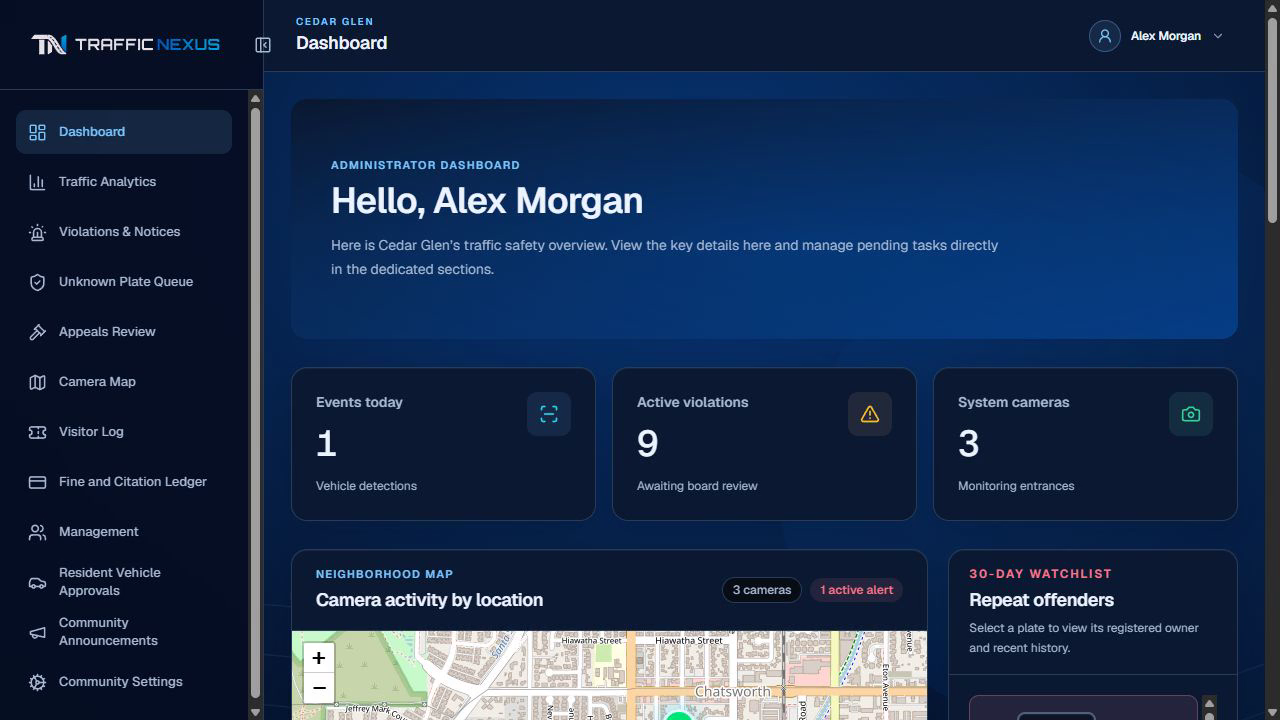
See recent events and camera locations together, then open an event for its details.

Explore the actual Traffic Nexus workspace. Follow a guided walkthrough of the dashboard, notices, and evidence review using fictional community data.
Follow the guided tour, or jump to the part you want to explore.
Open the dashboard to see recent traffic activity and the camera locations in one workspace.
From here, move into the notice list to see the records behind the overview.
Review evidence in context, handle exceptions, and give recipients an understandable notice with access to evidence and available response options. Warnings and fines follow the community’s configured policy.
Explore the parts of the product your community will use day to day.
See recent events and camera locations together, then open an event for its details.
Review recorded speed, time, location, and available visual evidence in context.
Resolve missing associations and incomplete details before a notice proceeds.
Recipients can review their own notices, evidence, and available response options.
We prepare a tailored quote based on the community and its needs. Request a demo to begin the conversation.
Yes. Missing plate or resident information is flagged for authorized staff to resolve before a notice proceeds.
Our primary operating area is Los Angeles. We welcome inquiries from across the U.S. and assess location and installation needs during follow-up.